
 button in Safari
How to Download Borgata Poker Pennsylvania

Borgata Poker is among the top choices for online poker enthusiasts in Pennsylvania. With user-friendly software, competitive tournaments, and secure gameplay, Borgata Poker makes it easy to play real money poker from the comfort of your home.
Ready to get started? Here’s how to download Borgata Poker Pennsylvania and create your account.
How to Download Borgata Poker Pennsylvania
Downloading Borgata Poker Pennsylvania is a straightforward process. Whether you're using a desktop or mobile device, you can quickly install the software or app and start enjoying top-notch poker action. Follow this guide to ensure a smooth setup.
Download Borgata Poker in 5 Simple Steps
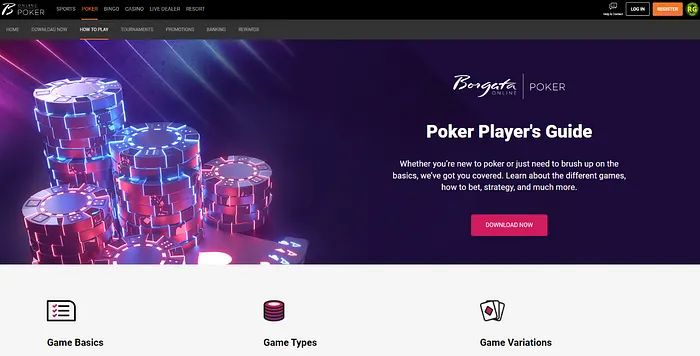
1. Visit the Borgata Poker Pennsylvania Website
Head to the official Borgata Poker Pennsylvania website by clicking one of the links on this page, to access their download page. This ensures you're downloading the authentic and secure software.
2. Choose Your Platform
Borgata Poker is compatible with desktop (Windows and Mac) and mobile devices (iOS and Android). Select the appropriate download option for your platform.
3. Click “Download”
For desktop users, download the software installer. Mobile users will be redirected to the App Store (iOS) or Google Play Store (Android) to install the Borgata Poker app.
4. Install the Software or App
Run the installer on desktop or follow the app store’s prompts on mobile to install Borgata Poker. The process is quick and intuitive.
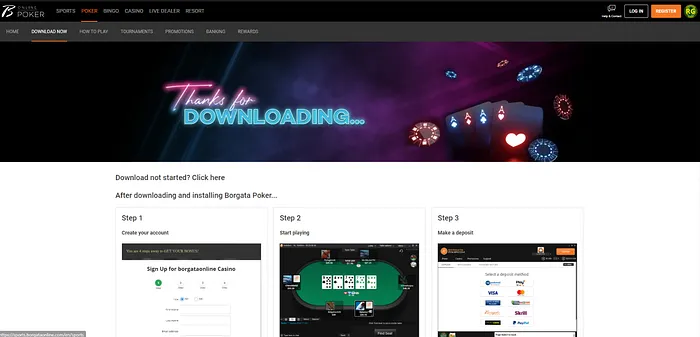
5. Create an Account and Verify Your Details
Launch the software or app, click "Sign Up," and complete the registration form. Verification of your identity may be required, so have your government-issued ID and a utility bill handy.
Borgata Poker for Desktop: Mac and Windows
[Borgata Poker Pennsylvania[/B] is fully optimized for desktop play. Whether you’re using a Mac or Windows device, the download and installation process is seamless. The platform offers smooth gameplay, excellent graphics, and a variety of poker games at your fingertips.
Borgata Poker for Mobile: iOS and Android
Enjoy the freedom to play poker anywhere with the Borgata Poker mobile app. The app is user-friendly, featuring all the games and tournaments available on the desktop version. Whether you're on iPhone or Android, you can play cash games, Sit & Go's, and MTTs with ease.
What’s Next After Downloading Borgata Poker Pennsylvania?
Once you’ve downloaded and installed the Borgata Poker software or app, it’s time to jump into the action. Here are your next steps:
Deposit Funds to Start Playing Real Money Poker
Log in to your account, navigate to the cashier section, and choose from various secure deposit methods, including:
- PayPal
- Visa/MasterCard
- ACH/eCheck
- Online Banking
- Skrill
Choose Your Game
Borgata Poker Pennsylvania offers a wide variety of games, including:
Cash Games: Play your favorite No-Limit Hold’em and Pot-Limit Omaha games 24/7.
Sit & Go’s: Single-table tournaments with quick action.
MTTs: Multi-table tournaments with massive prize pools.
Fast-Fold Poker: Non-stop poker action with instant table changes after folding.
Read our Borgata Poker Pennsylvania real money page to find out more about the poker games available.
Borgata Poker Pennsylvania FAQs
Is Borgata Poker safe to download?
Yes, Borgata Poker Pennsylvania is fully licensed by the Pennsylvania Gaming Control Board (PGCB) and uses advanced encryption to secure your data.
Can I play Borgata Poker on my mobile?
Absolutely! Borgata Poker has dedicated apps for iOS and Android devices.
Are there bonuses for new players?
Yes, Borgata Poker Pennsylvania offers generous welcome bonuses for new players, including first deposit bonuses and tournament tickets.
Can I use one account for desktop and mobile?
Yes, you can use the same Borgata Poker account across all platforms.