button in Safari
Your Personal Poker Rail: Introducing the New PokerNews MyPlayers Feed

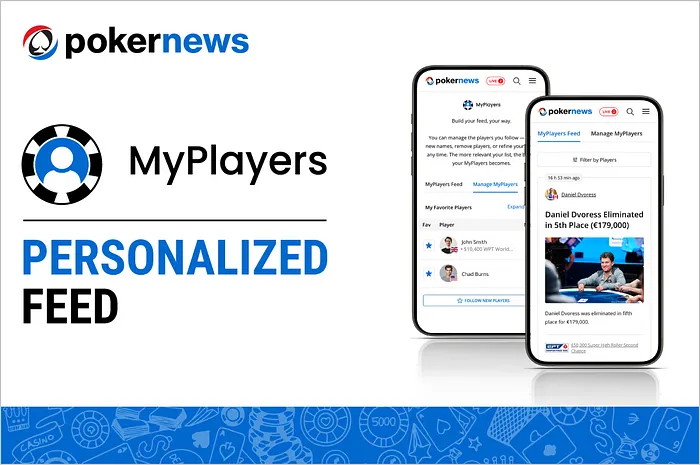
Table Of Contents
The poker world moves fast, and during massive events like the World Series of Poker (WSOP), it’s nearly impossible to keep track of everyone. Whether you’re following a high-stakes pro, a local hero from your home game, or a family member chasing a bracelet, PokerNews makes your life a whole lot easier with the launch of MyPlayers.
And it's now received a massive overhaul, introducing new features just in time for poker's annual summer camp. This new, free feature transforms how you consume live updates, and is available to all PokerNews users.
Personalized MyPlayers Feed
MyPlayers moves away from a one-size-fits-all feed to a personalized poker feed.
Designed specifically to help railbirds navigate massive fields like those found at the World Series of Poker, this new tool allows users to curate a custom watchlist of the players that you care about, from big names pros like Daniel Negreanu, Phil Ivey and Phil Hellmuth, to your hometown regulars and home town heroes.
By clicking the star icon next to any player's name within the live reporting feed, those individuals are automatically pinned to the top of chip count lists and tracked in a centralized, real-time feed.
On that feed, you'll be able to see all the latest news, chip counts and live event reporting related to that player in one easily scrollable feed. Instead of scrolling through hundreds of entries to find a specific update, users can now access a streamlined feed that prioritizes the action they care about most.
You can access MyPlayers from all of your devices, with the feed synchronized wherever you're accessing it from, ensuring that your saved watchlist stays updated whether you are checking from a desktop or following along on a mobile device.
MyPlayers serves as a central hub for poker fans, offering a smarter, more personal way to stay connected to the action.
Whether you are tracking a single person or an entire stable of players, the tool ensures you never miss a critical double-up or a bust-out hand again.
How to Populate Your MyPlayers Feed
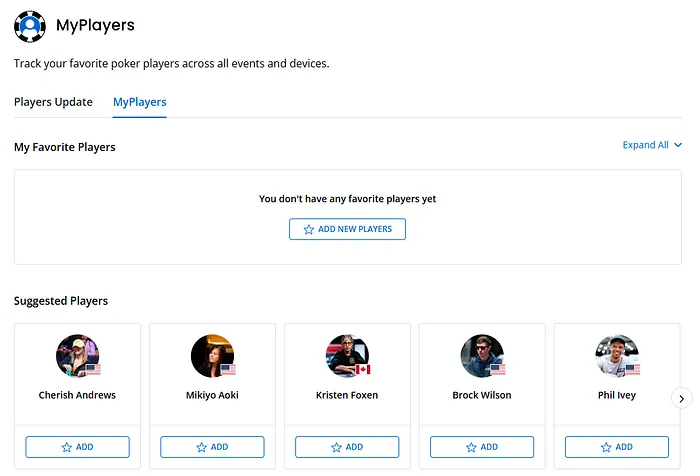
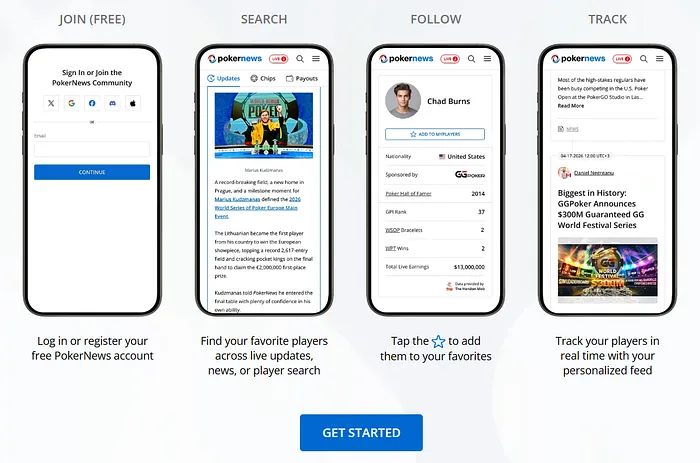
To get started, ensure you are logged into your free PokerNews account so your preferences can sync across all your devices.
Navigate to the live reporting page of any active tournament. Next to every player’s name in the chip counts or live updates, you’ll see a Star Icon. You can browse the full list of players or use the search bar to find a specific name.
Simply click or tap this icon to "follow" that player. They will immediately be added to your personalized roster. You can also add players directly from the MyPlayers section of the PokerNews website.
Once you’ve selected your players, head to the MyPlayers tab located in the main navigation or via your profile. Here, the normal live reporting feed disappears, replaced by a timeline featuring only the hands, chip updates, and bust-out alerts for the players you chose.
As the tournament progresses and players are eliminated, you can easily "unstar" them to declutter your feed or add new "ones-to-watch" as the final table approaches.