When GTO Wizard teased the imminent release of a Pot Limit Omaha (PLO) solver last month, excitement spread quickly across the poker world.
After all, when poker’s leading training platform expands beyond hold’em and into PLO, backed by that level of experience and expertise, people are rightly going to pay attention.
Well, this week, players finally got their first look at the product, and the PokerNews team was just as excited to get our hands on it as well.
So, we crunched a few numbers, stress-tested the features, ran sims, and put the new tool through its paces. Here are our first impressions of GTO Wizard’s brand-new PLO
offering.
Why PLO Has Been So Hard to Study Properly
First things first, it's worth remembering why PLO has presented such a problem for training sites, even as players have more resources at their disposal than ever before.
Because of the sheer amount of starting hand combos that come with four hole cards (around 270,000 compared to 1,326 in two-card), study tools have often been shaped by compromise. Local solvers offer depth, but are slow to run and difficult to use at scale, while static libraries are faster but come with fixed structures and limited postflop coverage.
In practice, that leaves a gap between theoretical accuracy and easy-to-use, enjoyable study tools. That's the gap GTO Wizard filled when it launched its hold'em product five years ago, but has it achieved the same feat with PLO?
First Impressions of GTO Wizard’s PLO Solver
Undoubtedly, the first thing that stands out is the speed and accessibility of the new PLO solver. Not only does it have the premium look and feel we've all come to expect from GTO Wizard, but it's fast, almost instant, and crucially, easy to use.
Solutions are available directly inside the platform, with full coverage from preflop through to the river - that's a big tick - and rather than running long solves or having to tinker with external setups, spots can be solved without delay, meaning nothing gets missed.
A good start then.
Full Postflop Coverage From the Start
Somewhat remarkably, even the first launched version of GTO Wizard's PLO solver covers every flop, turn, and river, meaning no missing runouts or gaps in the tree.
That level of completeness makes hand reviewing significantly more practical, particularly when analyzing specific in-game spots.
Speed & Accessibility
Although previously mentioned, it's worth reiterating the speed and accuracy with which solutions are delivered, often in seconds, which has a vast impact on how much studying you can pack into a session.
Instead of batching solver work, spots can be reviewed in real time, and the built-in trainer allows an immediate transition from study to practice (offering feedback on every decision).
Study Mode Rebuilt for PLO
Study Mode
Because of the hundreds of thousands of starting hand combinations, GTO Wizard has had to rebuild Study Mode to ensure training remains effective.
Therefore, the interface is built around filtering, categorization, and structured navigation of ranges. While it may take a while to get used to it, it's still unmistakably GTO Wizard, and if you have any familiarity with the hold 'em tools, it shouldn't take long to get acquainted.
Navigating Preflop to River Solutions
Full hand trees can be followed from preflop through to river, allowing full reconstruction of hands played in real sessions.
Each decision point can be opened and explored in context rather than in isolation.
What Stands Out in Everyday Use?
Analysis can quickly be turned into targeted study
Spots can be broken down and filtered with minimal friction
Hands can immediately be drilled in the trainer without switching tools
Decision trees are easy to follow from preflop through to river
Breaking Down the Core Tools
After spending a bit of time playing around with the core tools on the new PLO section, here's a brief indication of what to expect:
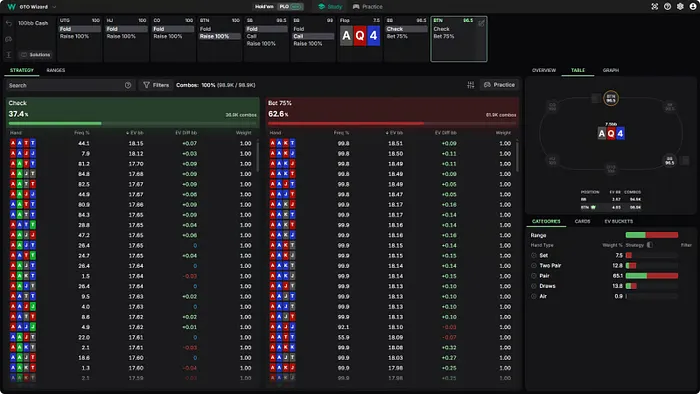
Strategy View and Decision Frequencies
Strategy View
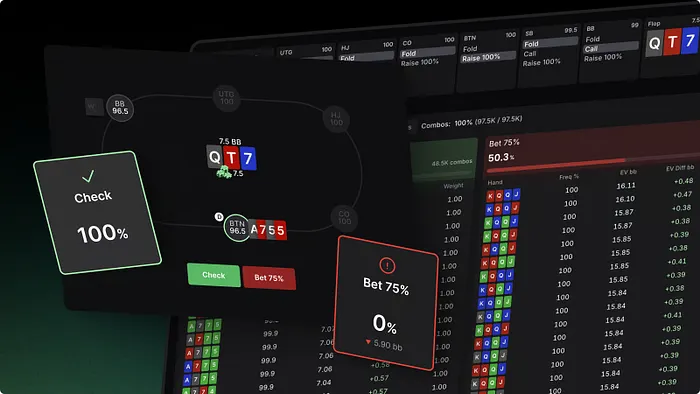
Strategy View shows how ranges behave at each decision point, including action frequencies and EV by line. It allows detailed breakdowns of how often hands bet, check, or mix.
EV Graphs and Range Shape
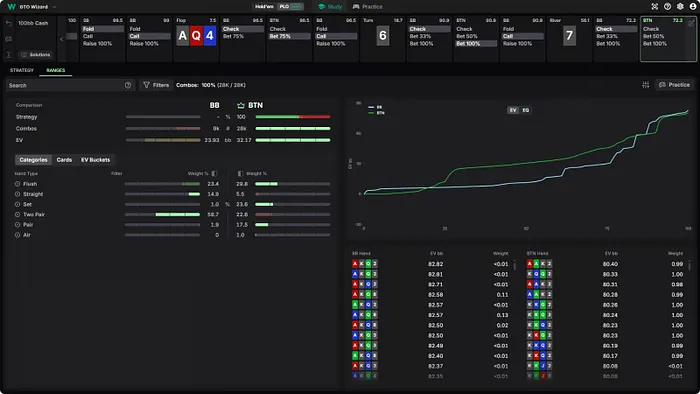
Strategy View shows how ranges behave at each decision point, including action frequencies and EV by line. It allows detailed breakdowns of how often hands bet, check, or mix.
Ranges and Equity Distribution
Ranges
Strategy View shows how ranges behave at each decision point, including action frequencies and EV by line. It allows detailed breakdowns of how often hands bet, check or mix.
Categories and Hand Grouping in PLO
Hands are grouped into categories such as sets, two pair, wraps, and draws. This simplifies analysis by turning large poker ranges into structured groups.
Hero Cards and Blocker Impact
Hero Cards show how specific holdings affect overall GTO strategy, as even a single card can shift frequencies significantly due to blocker effects specific to PLO.
Macros and Advanced Filtering
Macros allow precise filtering of ranges by cards, suits, hand types, or draw classes. This makes it possible to isolate very specific parts of a strategy quickly, solving a significant problem that used to be a constant thorn in the side when PLO training.
Custom Solving and Flexibility
One of the big ticks in the plus column for GTO Wizard's new PLO tools is the ability to custom-solve, providing huge flexibility in your training. Here are a few key elements we noticed:
Building Your Own PLO Spots
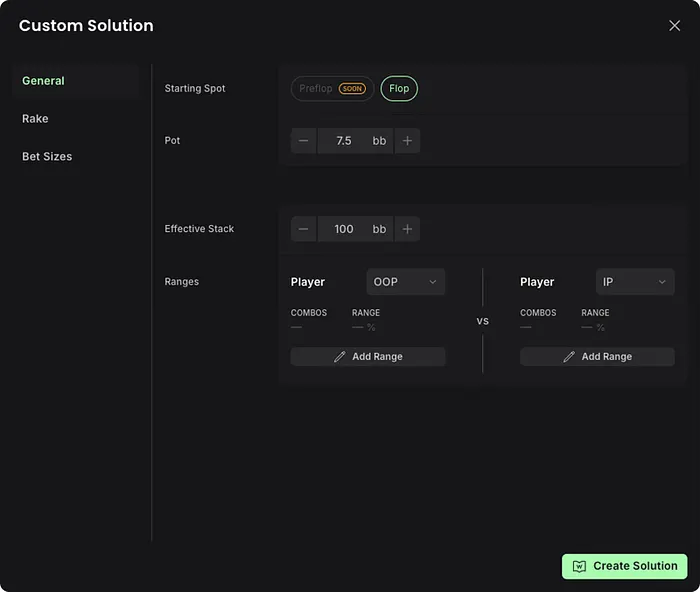
Custom solving allows users to build their own postflop scenarios by defining bet sizes and ranges, then generating solutions in seconds.
Adjusting Ranges and Bet Sizes
Both ranges and bet sizes can be adjusted dynamically, allowing rapid testing of different assumptions and line structures.
Where This Goes Beyond Static Libraries
Unlike static solutions, everything is editable. This makes it more useful for exploring deviations or reconstructing real hand histories.
Training Tool and Real-Game Application
PLO Trainer
Much like GTO Wizard's hold'em product, one very impressive feature of the PLO upgrade is the ability to put your training into action with instant feedback.
The PLO Trainer and Feedback Loop
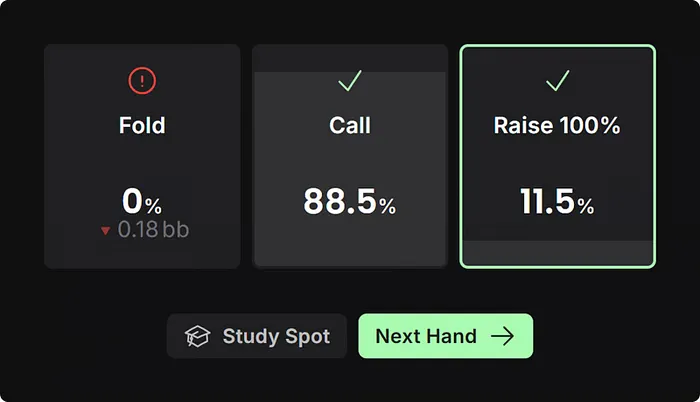
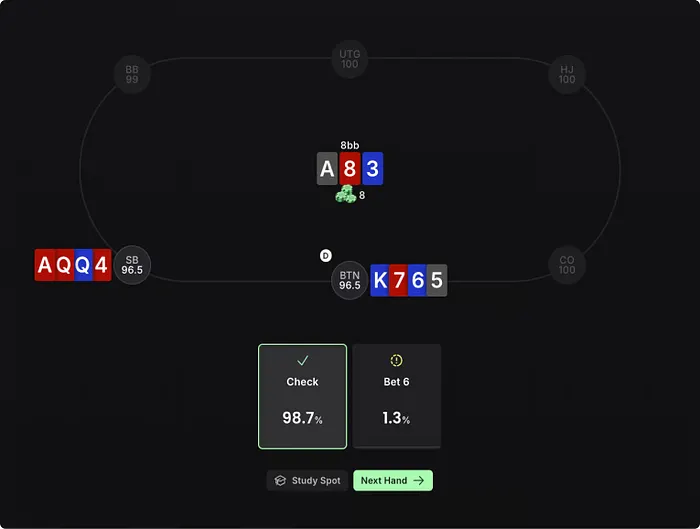
The trainer places players directly into GTO-solved spots and provides immediate feedback on every decision, including EV losses, mistake frequency, and alternative actions.
That instant response creates a far more active learning environment than passively browsing solutions, especially in a game as complex and fast-moving as PLO.
Game Modes and Focused Drilling
Training can be done through full hands, single streets, or repeated single spots, depending on the focus of study.
Players can isolate specific stack depths, board textures, or positions and repeatedly drill those situations until patterns begin to stick.
Turning Study Into In-Game Decisions
Every training spot links directly back into Study Mode, making it easy to review mistakes immediately and understand the solver logic behind them.
The result is a feedback loop that feels practical rather than theoretical, helping bridge the gap between studying charts and making confident decisions in real games.
Who is the PLO Tool For?
The simple answer is: anyone serious about improving as a PLO player.
Whether you are a cash game grinder, tournament regular, or a Hold’em player looking to make the transition into four-card poker, there are tools and resources tailored to virtually every type of player.
The same applies to coaches, staking groups and study communities looking for a more structured way to review hands and build training routines.
Ultimately, it comes down to how much time you are willing to invest in studying. Based on the depth of the resources and the quality of the insights available during testing, players willing to put in that work will never run short of material to improve with.
Are There Any Limitations?
At launch, the tool is limited to PLO4, with support for PLO5 and PLO6 still in development. Mobile functionality is also not yet available, while some of the more advanced reporting and tracking features remain part of GTO Wizard's product roadmap.
That said, the platform already feels remarkably polished for a first release. It's worth remembering that, like the original GTO Wizard Hold’em product, PLO is likely to evolve over time, with new features and improvements to arrive steadily as the platform matures and player feedback is received.
Pricing and Access Tiers
GTO Wizard's PLO solver is available as a standalone subscription, separate from the hold'em product, meaning players can pick up one, the other, or both depending on their needs.
For those wanting to test the water first, a free tier is available with no credit card required and no expiry date. It comes with one postflop spot per day, five trainer hands per day, and access to one preflop stack depth. Limited, but more than enough to get a genuine feel for what the platform offers.
Premium opens up the full pre-solved library, all preflop stack depths, and unlimited trainer usage. Elite adds custom solving on top of that, allowing users to set their own sizings and ranges and generate solutions for any postflop spot from scratch.
Pricing is currently discounted under an early bird promotion, with increases planned once aggregated reports and mobile support are released. Here's a look at the pricing structure:
Plan
Early Bird
Full Price
Pre-Solved Library
Trainer
Custom Solving
Free
$0
$0
1 spot/day
5 hands/day
No
Premium (Monthly)
$179/mo
$229/mo
Full library
Unlimited
No
Premium (Annual)
$139/mo
$179/mo
Full library
Unlimited
No
Elite (Monthly)
$229/mo
$299/mo
Full library
Unlimited
Yes
Elite (Annual)
$179/mo
$239/mo
Full library
Unlimited
Yes
PokerNews Verdict: Has It Changed PLO Study?
The problems that have held PLO study back for years are well documented: too slow, too rigid, too difficult to use at scale. Well, GTO Wizard has addressed all three in one go, and the result is a tool that looks likely to have a profound impact on what structured PLO study looks like for players moving forward.
The speed alone is a game-changer. You cannot underestimate the difference it makes to be able to pull up any postflop spot in seconds, transition straight into the trainer, and drill mistakes on the spot without ever leaving the platform. It's the kind of no-stress experience that makes it easier to want to put in the long hours.
And, even from a first release, the depth is there too. Full postflop coverage from day one, custom solving for those who want to go further, and a study interface that, while it takes a little getting used to given the complexity of the game, feels immediately familiar to anyone who has spent time with GTO Wizard's hold'em product.
Is it perfect? Not quite. PLO4 only for now, no mobile support yet, and some reporting features still to come, but as a first release, this is remarkably polished, and if the evolution of GTO Wizard's hold'em product is anything to go by, those gaps will close quickly.
For anyone serious about improving at PLO, whether that is a cash game regular, a tournament player, or someone making the move from hold'em, there is very little reason not to at least try it. The free tier removes any barrier to entry, and the paid tiers are priced fairly for what is on offer.
Yes. GTO Wizard has launched a dedicated PLO solver with full postflop coverage from preflop through to the river, available as a standalone subscription separate from its hold'em product.
How much does GTO Wizard's PLO solver cost?
There are three tiers. The free plan costs nothing, Premium starts at $139/month on an annual plan, and Elite starts at $179/month on an annual plan, both during the current early bird promotion.
Is there a free version of GTO Wizard's PLO solver?
Yes. The free tier requires no credit card and has no expiry date. It includes one postflop spot per day, five trainer hands per day, and access to one preflop stack depth.
Does GTO Wizard's PLO solver cover all streets?
Yes. Even at launch, the solver covers every flop, turn, and river with no missing runouts or gaps in the tree, making hand reviewing significantly more practical.
Does GTO Wizard's PLO solver work on mobile?
Not yet. Mobile functionality is still in development and listed as part of the product roadmap for a future update.
Which PLO variants does GTO Wizard support?
At launch, the solver is limited to PLO4. PLO5 and PLO6 support are still in development.
Can you custom solve with GTO Wizard's PLO tool?
Custom solving is available on the Elite plan only. It allows users to define their own bet sizes and ranges and generate solutions for any postflop spot from scratch.

 button in Safari